
Bhop in Counter-Strike 1.6 – Bunny Hop Tutorial and Commands
Last updated: June 14, 2026
Bunny hopping (bhop) in Counter-Strike 1.6 is a movement technique that exploits the GoldSrc engine’s air acceleration mechanics. By syncing keyboard strafe inputs with smooth mouse movement while repeatedly jumping, you bypass the game’s 250 units/second ground speed limit and move significantly faster than running. This cs 1.6 bhop tutorial covers the exact mechanics, commands, common mistakes, and where to practice.
How to bhop in cs 1.6:
What bunny hopping is in Counter-Strike 1.6
In Counter-Strike 1.6, running on the ground caps your speed at 250 units/second. Bunny hopping bypasses this cap entirely by chaining jumps with mid-air direction changes called air strafes. Each successful air strafe adds velocity instead of losing it to ground friction. A player who bhops consistently moves noticeably faster than one running normally, can cross open areas before enemies expect, and is harder to hit because of the constant direction changes.
Bhop in cs 1.6 is entirely legal and is a core movement skill – it is not a cheat or exploit in the banned sense. It is an engine quirk that the competitive community has treated as a feature for over two decades.
That said, most standard public and competitive cs 1.6 servers run with sv_airaccelerate set to the default value of 10, which severely limits how much speed bunny hopping can actually generate. On these servers bhop is mostly used briefly for repositioning, not as a core movement strategy – this is why you rarely see pro players bhop across entire maps. The technique reaches its full potential on dedicated bhop_ and kz_ servers running sv_airaccelerate 100, where it becomes the primary gameplay mechanic. See the practice settings and server section below for details.
How to bhop in cs 1.6 – step by step
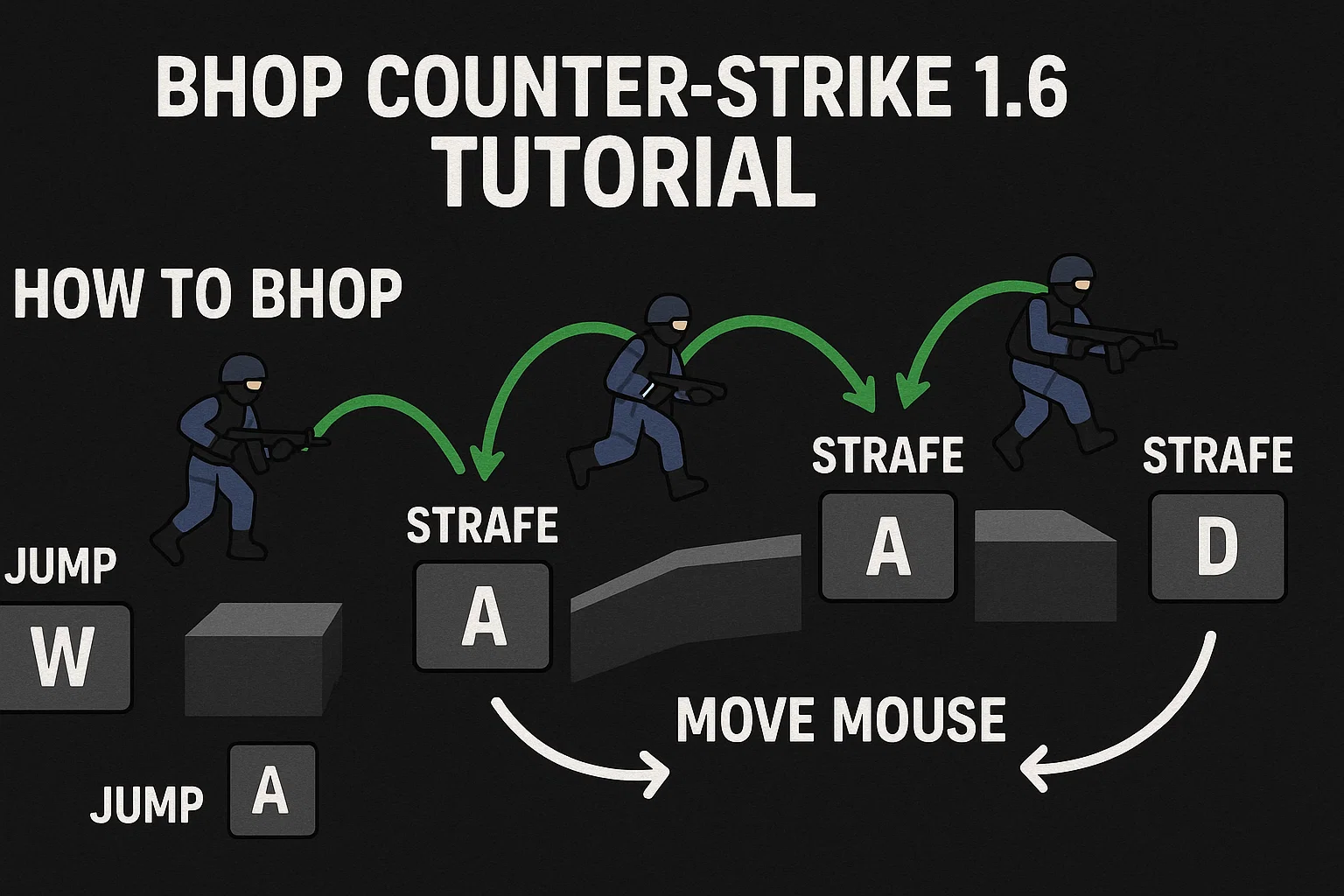
The technique relies on air strafing. In the GoldSrc engine, moving your mouse in the same direction as your strafe key while airborne generates extra forward momentum – this is the entire mechanic behind bhop in Counter-Strike 1.6.
| Step | What to do |
|---|---|
| Initial jump | Hold W to build base speed, then jump into the air. |
| Release W | The instant you leave the ground, release W completely. Holding it in the air disables air acceleration and kills your bhop momentum. |
| First air strafe | While airborne, hold D and smoothly pan your mouse right at the same time. Your character curves right and gains speed. |
| The landing | Just before your feet touch the ground, jump again. Timed correctly, you bounce instantly without losing speed to ground friction. |
| Second air strafe | Release D, hold A, and pan your mouse left. Repeat the alternating right-left pattern to keep building speed. |
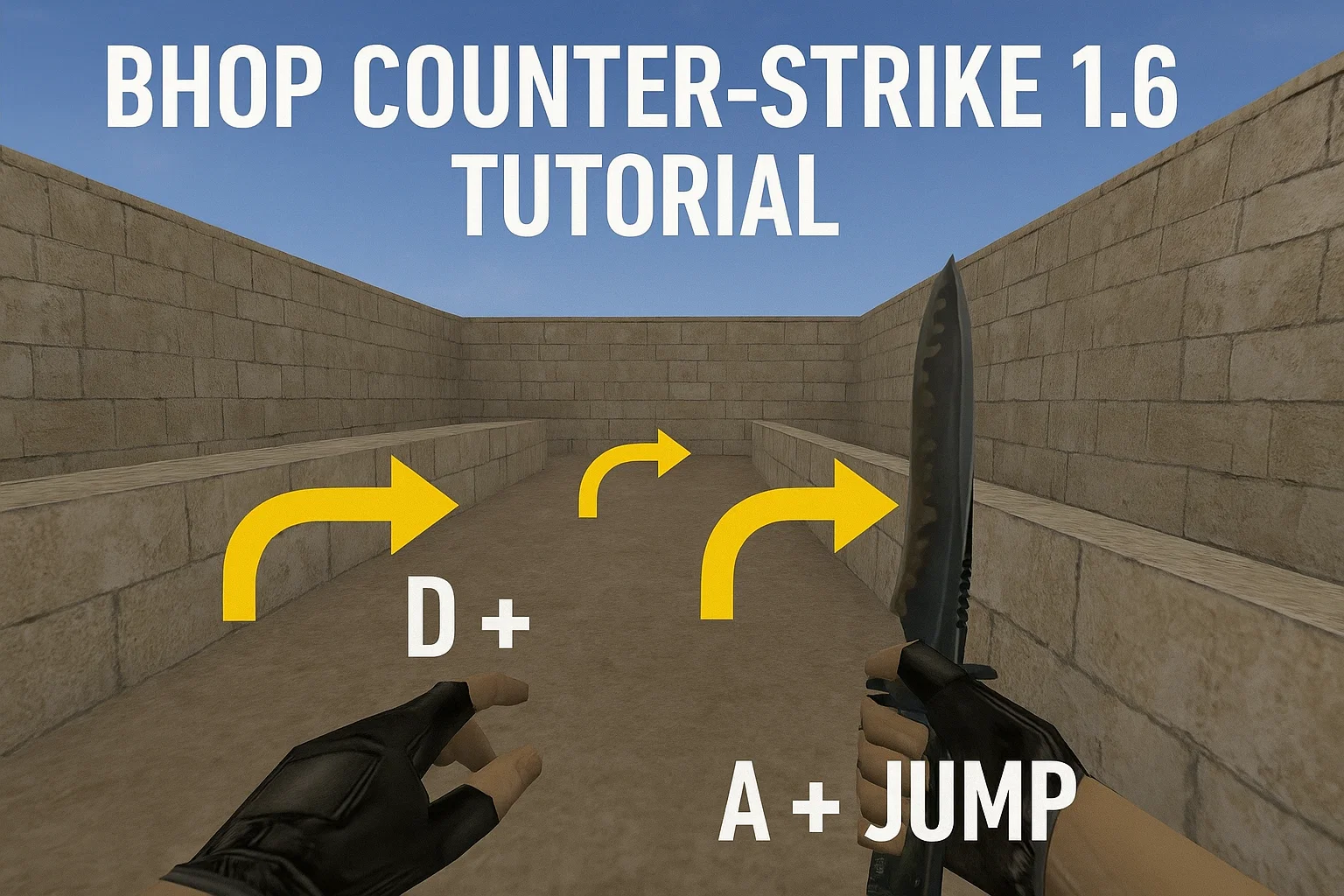
Essential cs 1.6 bhop commands
Bunny hopping with the Spacebar is unreliable – the timing window for the landing frame is too small for a thumb press. The standard fix is binding jump to the mouse wheel:
bind mwheeldown +jump
bind mwheelup +jump
fps_max 99.5
bind mwheeldown +jump– scrolling down sends multiple jump commands in a fraction of a second, making it far easier to hit the exact landing framebind mwheelup +jump– alternative for players who prefer scrolling up. Either direction works equally well.fps_max 99.5– movement physics in cs 1.6 are tied to framerate, and the engine has a known quirk above 100 FPS: settingfps_max 100often results in the game actually running at 100.5 FPS, which throws off jump timing. Settingfps_max 99.5avoids this and keeps physics calculations consistent.
Bhop cs 1.6 video demonstration
Bunny hopping depends on rhythm and visual sync between mouse movement and strafe keys. Watching a demonstration helps connect the written steps above to how it actually looks and feels in-game:
Common bhop mistakes in cs 1.6
If you lose speed when jumping or come to a dead stop, you are likely making one of these mistakes:
| Mistake | Fix |
|---|---|
| Holding W mid-air | If you do not release W, the engine prioritizes forward momentum over strafe momentum, capping you at 250 units/sec. Only A, D, and the jump bind should be active while airborne. |
| Jerky mouse movement | A fast, abrupt mouse swipe does not register as a proper air strafe. The movement needs to be a steady, continuous sweep matching the duration of the strafe key press. |
| Desynced inputs | Pressing A while moving the mouse right (or D while moving left) kills momentum instantly. Strafe key and mouse direction must match – A with left, D with right. |
| Jumping too late | Scrolling the jump bind too late lets your character touch the ground and experience friction, resetting speed to walking pace. Start the jump scroll slightly before landing. |
Advanced bhop techniques in cs 1.6
Once the basic alternating strafe feels consistent, these techniques push speed further:
- Pre-strafing – run in a slight curve before your first jump. Holding W and D while panning the mouse right on the ground builds speed above 250 units/sec before you even leave the ground, giving your first hop a head start.
- Multi-strafing – performing multiple direction changes (left-right-left) during a single longer jump. Requires higher mouse sensitivity and is much harder to time consistently, but produces faster acceleration over short jumps.
- Crouch-bhopping – tapping Ctrl mid-air raises your hitbox, letting you bhop onto higher ledges or through windows without breaking your momentum chain.
Best settings to practice bhop in cs 1.6
Default cs 1.6 bots and standard servers run restrictive air movement settings that make bhop practice difficult. Start a local “New Game” and set these in console:
| Command | Purpose |
|---|---|
sv_airaccelerate 100 |
The most important practice setting. Default is 10. Setting it to 100 (“100aa”) lets you turn sharply mid-air without losing momentum – this is the standard on all dedicated bhop and surf servers. |
mp_roundtime 9 |
Extends the round to the 9-minute maximum so practice is not interrupted by round restarts. |
sv_gravity 800 |
Keep this at the default 800. Practicing under lower gravity builds muscle memory that does not transfer to normal jump timing. |
Auto bhop scripts vs bhop_ servers in cs 1.6
Many players look for a cs 1.6 auto bhop script to skip the manual mouse wheel timing. Alias-based .cfg scripts that auto-jump while holding Spacebar exist, but using them on standard competitive servers is risky – most modern servers run anti-cheat that detects auto-bhop scripts and issues permanent bans.
If you want to bhop without the manual scroll timing, search the server browser for maps starting with bhop_ (for example bhop_pro). These dedicated cs 1.6 bhop servers run server-side plugins that allow holding Spacebar legitimately, since auto-bhop is the intended mechanic on those servers. This lets you focus entirely on air strafing without worrying about jump timing or bans.
For a clean client with unlocked framerate and raw mouse input support – both important for consistent bhop timing – download Counter-Strike 1.6 from our portal.
For installation guides and game files, browse the Counter-Strike 1.6 site or also grab the Counter-Strike 1.6 installer.