
Counter-Strike 1.6 Download
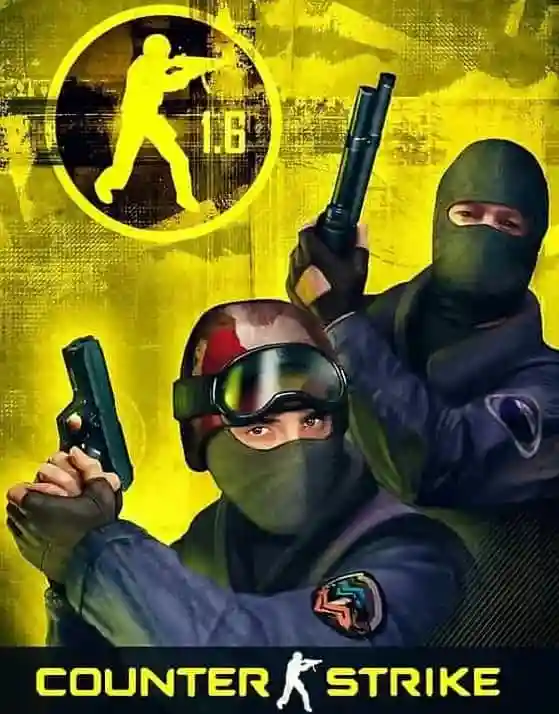
CS 1.6 Download Free for PC – Windows 11, 10, 7, XP
CS 1.6 download free for PC – the original Counter-Strike 1.6, the old version of Counter Strike, updated for modern operating systems. If you want to download Counter Strike 1.6 for PC quickly, this universal build runs on 64-bit and 32-bit Windows 11 and Windows 10, and stays compatible with Windows 7 and Windows XP. It works on desktop PCs and laptops. Common video mode bugs and Half-Life filesystem errors that crash older builds on new systems have been fixed.
This Counter Strike download for PC is a clean Non-Steam installation: the installer was scanned on VirusTotal, and the files are served over an encrypted connection. Counter Strike free download – no registration and no Steam account required.
The Counter-Strike 1.6 download is the original game version. It contains no slowhacks, no modified game menus and no custom skins – just the standard files for classic multiplayer, competitive matches or offline play with bots. Download Counter Strike offline and play without an internet connection using the built-in bots. Launch the installer, complete the setup and join any server from the in-game browser.
Counter-Strike 1.6 Download Specifications
| Build Version | Counter-Strike 1.6 Full, Protocol 48, Build 4554 (Stable) |
| Security Scan | Installer scanned on VirusTotal |
| OS Support | Windows 11, 10, 8.1, 7, XP (Low-spec PC Compatible) |
| File Size | 156MB (Fast Installer) |
| Language | English (Original) |
| Game Engine | GoldSrc (v1.1.2.6 Build 4554) |
| Protocol | Protocol 47/48 (Non-Steam) |
| Developer / Release | Valve Corporation / 2003 |
* Other formats – portable ZIP, RAR and torrent – are listed in the download table below.
Counter-Strike 1.6 download – contents
- Available Download Options & Formats
- CS 1.6 Versions & Direct Download Links
- Original CS 1.6 Download Client Features
- How to install Counter-Strike 1.6
- System requirements for CS 1.6
- Counter-Strike 1.6 Technical Build Details
- CS 1.6 Client Configuration & Safety
- Preparing for competitive play in Counter-Strike 1.6
- Frequently asked CS 1.6 download questions (FAQs)
- CS 1.6 download troubleshooting issues
Available Counter-Strike 1.6 Download Options & Formats
Every player gets the file format and edition they need. Choose the classic CS 1.6 Original Installer, a CS 1.6 Torrent link, or a standalone CS 1.6 portable ZIP version that needs no installation. The CS 1.6 ZIP version runs from any folder without admin rights – ideal for USB drives or restricted PCs. You can also get the CS 1.6 Original (RAR) archive for manual extraction. Other editions include the CS 1.6 CS:GO Edition with modern visuals, the popular community build CS 1.6 Warzone and the graphically enhanced CS 1.6 XTCS. A fully translated CS 1.6 Lithuanian version is also available.
CS 1.6 Versions & Direct Download Links
| Version / Format | Size | Edition Highlights | Best For | Action |
|---|---|---|---|---|
| CS 1.6 Original (Standard Installer) |
156MB | Pure vanilla files, original weapon models, standard GUI. Includes auto-installer that sets up shortcuts and registry keys. | Competitive play & stable 100 FPS. | Download |
| CS 1.6 Portable (ZIP Archive) |
205MB | Pre-installed game directory. Simply extract the ZIP and launch hl.exe. No admin prompts and no registry traces. |
USB drives & restricted PCs. | Download |
| CS 1.6 Archive (RAR Format) |
185MB | Compressed archive of the original game files. Requires WinRAR or 7-Zip to extract manually. | Users with strict data limits. | Download |
| CS 1.6 CS:GO Edition | ~410MB | Completely overhauled visuals: modern weapon skins, HD player models, an updated radar and new sounds. | Players wanting modern visuals. | Download |
| CS 1.6 Warzone | ~250MB | A popular community edition with a modified GUI, integrated ZBots and multi-protocol (47/48) support. | Casual public servers & offline play. | Download |
| CS 1.6 XTCS | ~250MB | The “Extreme Counter-Strike” edition with a redesigned dark interface and enhanced textures. | Modding fans. | Download |
| CS 1.6 Torrent | KB | A small .torrent file that downloads the game via uTorrent or BitTorrent. |
Resuming interrupted downloads. | Download |
| CS 1.6 Lithuanian | 261MB | A localized build where the user interface, game menus, radio commands and chat are translated into Lithuanian. | Native Lithuanian speakers. | Download |
Counter-Strike 1.6 Download – All Languages and Countries
Download Counter-Strike 1.6 free for PC in your language. Original clean version, installer scanned on VirusTotal, works on Windows 11, 10, 7.
Europe (A-L)
- CS 1.6 Shkarkim – shkarko counter strike 1.6
- CS 1.6 Изтегли – counter strike 1.6 изтегляне
- CS 1.6 Stáhnout – counter strike 1.6 stáhnout
- CS 1.6 Allalaadimine – counter strike 1.6 alla laadimine
- CS 1.6 Lataa – counter strike 1.6 lataa
- CS 1.6 Télécharger – counter strike 1.6 télécharger
- CS 1.6 Herunterladen – counter strike 1.6 herunterladen
- CS 1.6 Λήψη – counter strike 1.6 λήψη
- CS 1.6 Íoslódáil – counter strike 1.6 íoslódáil
- CS 1.6 Skinuti – counter strike 1.6 skinuti
- CS 1.6 Letöltés – counter strike 1.6 letöltés
- CS 1.6 Scarica – counter strike 1.6 scaricare
- CS 1.6 Lejupielāde – counter strike 1.6 lejupielādēt
- CS 1.6 Atsisiųsti – counter strike 1.6 parsisiųsti
Europe (N-W)
- CS 1.6 Downloaden – counter strike 1.6 downloaden
- CS 1.6 Pobierz – counter strike 1.6 pobierz
- CS 1.6 Descarregar – counter strike 1.6 descarregar
- CS 1.6 Descarcă – counter strike 1.6 descarca
- CS 1.6 Скачать – counter strike 1.6 скачать
- CS 1.6 Preuzmi – counter strike 1.6 preuzimanje
- CS 1.6 Stiahnuť – counter strike 1.6 stiahnuť
- CS 1.6 Prenesi – counter strike 1.6 prenesi
- CS 1.6 Descargar – counter strike 1.6 descargar
- CS 1.6 Ladda ner – counter strike 1.6 ladda ner
- CS 1.6 İndir – counter strike 1.6 indir
- CS 1.6 Скачати – counter strike 1.6 завантажити
- CS 1.6 Descargar Peru – counter strike 1.6 descargar
Asia & Africa
- CS 1.6 Yüklə – counter strike 1.6 yüklə
- CS 1.6 ჩამოტვირთვა – counter strike 1.6 ჩამოტვირთვა
- CS 1.6 Download India – counter strike 1.6 download in India
- CS 1.6 Unduh – counter strike 1.6 unduh
- CS 1.6 Muat Turun – counter strike 1.6 muat turun
- CS 1.6 Татаж авах – counter strike 1.6 татаж авах
- CS 1.6 Download Pakistan – counter strike 1.6 download in Pakistan
- CS 1.6 I-download – counter strike 1.6 download
- CS 1.6 ดาวน์โหลด – counter strike 1.6 ดาวน์โหลด
- CS 1.6 Télécharger Algérie – counter strike 1.6 télécharger
- CS 1.6 Aflaai – counter strike 1.6 aflaai
Americas
- CS 1.6 Descargar Argentina – counter strike 1.6 descargar
- CS 1.6 Baixar – counter strike 1.6 baixar
Original CS 1.6 Download Client Features
This Counter-Strike 1.6 download for PC full version is delivered as a lightweight .exe installer, designed for a fast and clean setup. Unnecessary bloatware and ads have been removed, keeping the game directory compact while the original GoldSrc engine stays fully functional on modern systems.
This original Counter-Strike 1.6 client gives you these technical and gameplay advantages:
| Feature | Details |
|---|---|
| Counter-Strike 1.6 Standard .exe Setup | A classic Windows installer that configures your game folders and creates desktop shortcuts for immediate access. |
| Counter-Strike 1.6 ZIP & RAR Archives | For a portable version without installation, a CS 1.6 download in ZIP or RAR format is also available, so you can run the game from any folder. |
| Zero Modifications | No modified menus, no ads and no slowhacks. The game stays exactly like the original. |
| Stable Performance | The engine is patched to deliver stable FPS and fix common resolution or “black screen” bugs on Windows 11, 10 and 7. |
| Updated Masterserver | The MasterServers.vdf file is pre-configured and write-protected, so the “Internet” tab lists active servers. |
| Counter-Strike 1.6 Secured & Clean Files | Your config.cfg is protected from unauthorized server-side commands. No auto-connect scripts or hidden binds are included. |
| Counter-Strike 1.6 Download Size | The Counter-Strike 1.6 download size is only 156MB for the installer, which expands to roughly 450MB of original game data on your disk. |
| Legacy & Modern Compatibility | Works on all current and older Windows versions, from Windows XP to Windows 11. |
| Compact Technical Build | Includes the original GoldSrc engine, standard maps, textures and sounds in a compact 156MB installer. |
How to install Counter-Strike 1.6
Everything is packed into a single .exe installer that handles the configuration automatically – from download to gameplay in a few minutes.
| Step | Action | Details |
|---|---|---|
| 1 | Get the File | Click the main CS 1.6 download button to get the 156MB installer. |
| 2 | Start Installation | Run the setup file. If Windows shows “Windows protected your PC”, check the VirusTotal report first; if you trust the file, click More info and then Run anyway. |
| 3 | Finish Setup | Follow the on-screen prompts to create a desktop shortcut. The installer places all original game files in your selected folder. |
| 4 | Join a Server | Launch the game and use the “Internet” tab to browse active servers. |
For more details: Counter-Strike 1.6 Installation Guide.
Counter-Strike 1.6 download size: Steam vs. Non-Steam
The standard CS 1.6 installer is 156MB. Modified editions such as Warzone may be up to 300MB – still more compact than the Steam version, which needs over 600MB and regular updates. The 156MB setup expands to approximately 450MB of original game data on disk.
System requirements for CS 1.6
Counter-Strike 1.6 runs on almost any hardware. These are the original game requirements:
| Requirement | Minimum | Recommended |
|---|---|---|
| CPU | 500 MHz Processor | 800 MHz or higher |
| RAM | 96 MB | 128 MB |
| GPU | 16 MB Video Card with OpenGL support | 32 MB Video Card or better |
| OS | Windows XP or newer (Windows 11, 10, 7, XP) | |
| Storage / Network | About 500 MB free space | Broadband connection for online multiplayer |
On modern Windows 10 and 11 systems, performance also depends on graphics drivers and system settings. Full hardware compatibility: System Requirements for CS 1.6.
Counter-Strike 1.6 Technical Build Details
Built on the final GoldSrc engine v1.1.2.6. A Dual Protocol (48 + 47) system lets the client connect to most community servers running protocol 47 or 48. Servers that accept only Steam clients will not let Non-Steam players in. Unlike older v43 builds, this version includes an emulator that generates a unique SteamID, so player rank, XP and admin rights are saved on server databases.
The filesystem has been patched to handle High DPI scaling and 4K resolutions. The legacy hw.dll and sw.dll have been replaced to fix the “Half-Life filesystem” error and the “Available memory less than 15MB” crash that occurs on Windows 10 and 11 systems with more than 16GB of RAM.
CS 1.6 Client Configuration & Safety
| Component | Feature & Safety Details |
|---|---|
| MasterServer.vdf | Pre-loaded with active servers. Set to “Read-Only” so server-side scripts cannot overwrite the server list. |
| Anti-Slowhack | Protected config.cfg and autoexec.cfg. Blocks cl_setautobuy and connect commands sent by malicious servers to prevent auto-connect loops. |
| Integrated ZBots | Includes bots for offline play. Press H in-game to adjust difficulty or add and remove bots. |
| Resource Compression | The 156MB installer uses LZMA2 compression and expands to 450MB of original game data, including all default .bsp maps and .wav sounds. |
| Original Models | No custom skins. Contains the original models/player and models/weapons files for competitive clarity and stable FPS. |
Will your PC run Counter-Strike 1.6?
Counter-Strike 1.6 is extremely lightweight and runs on almost any modern or older computer. The original minimum is a 500 MHz processor and 96 MB RAM. Check hardware compatibility: How to check your PC specs for CS 1.6.
Learn about different Counter-Strike 1.6 editions
Over the years, the community has created many editions of the game, from the classic Original v43 to modern versions with HD models or integrated bots. Knowing the differences helps you pick the right build.
Full overview of the most popular builds: Counter-Strike 1.6 versions overview.
Non-Steam vs. Steam: Which CS 1.6 version to choose?
The core gameplay is identical. The Non-Steam version of Counter-Strike 1.6 is preferred by players who want a standalone client without a platform login. This build is patched to access public servers, like the Steam release. The official Counter-Strike version is distributed by Valve through Steam; this site is not affiliated with Valve.
Technical differences regarding security, masterserver access and account requirements: CS 1.6 Non-Steam vs. Steam comparison.
Counter-Strike 1.6 on different platforms (PC & Mac)
The installer is optimized for Windows 7, 10 and 11. Counter-Strike 1.6 does not natively support modern macOS versions. Since macOS 10.15 Catalina, Apple has dropped support for 32-bit applications, including the original CS 1.6 engine. Mac users with an Intel or M1/M2/M3 chip need Wine, CrossOver or a Windows virtual machine (Parallels/UTM) to play.
Preparing for competitive play in Counter-Strike 1.6
This CS 1.6 download can be used for competitive matches without extra setup. A clean configuration helps keep FPS stable and latency low, which matters for competitive gameplay.
For advanced tactics, map layouts and team communication: Competitive CS 1.6 guide.
Frequently asked CS 1.6 download questions (FAQs)
Quick answers to the most common questions. For more technical help visit the full Counter-Strike FAQ.
| Frequently Asked Question | Answer |
|---|---|
| Is this the old version of Counter-Strike? | Yes. Counter-Strike 1.6 is the classic old version of Counter Strike: version 1.1.2.6, Build 4554, in Non-Steam format, with no changes to the gameplay. |
| Is there a CS 1.6 APK for Android? | No. Counter-Strike 1.6 is a PC game, and there is no official Android or mobile version. The downloads on this page are for Windows PC and laptop. Some players run CS 1.6 on Android through community engine ports such as Xash3D FWGS, which need the game files from a PC installation. |
| Will it work on Windows 11 and 10? | Yes. This version includes patches for modern systems to fix resolution bugs and prevent startup crashes. |
| Is this download safe? | The installer was scanned on VirusTotal and contains no slowhacks, ads or third-party programs. Windows SmartScreen may show a warning because the installer has no digital signature; the warning by itself does not mean the file has a virus. |
| What is the download size? | The installer is only 156MB, so it downloads fast even on slower internet connections. |
| How fast is the download? | The files are delivered through the Cloudflare CDN, so you download them from a server close to your location for faster speed. |
| Does it include bots? | Yes, this CS 1.6 download comes with integrated bots for offline practice without an internet connection. |
| Is it compatible with old PCs? | Yes. The build runs on low-end hardware and supports older systems like Windows XP and Windows 7. |
| Does this CS 1.6 download require a CD-Key? | No. If prompted for a key, enter AAAA-AAAA-AAAA-AAAA (all A’s), though the registry fix included in the setup usually handles this automatically. |
| Why is the file only 156MB? | The installer is compressed. The installed game takes the standard 450-500MB on your disk. No files or textures have been removed. |
| Is OpenGL or Software mode better? | Use OpenGL. This build is patched to support OpenGL on modern Intel, AMD and NVIDIA drivers, for stable frame rates and correct field of view (FOV). |
CS 1.6 download troubleshooting issues
Installing the game on modern systems is usually simple, but some users run into small setup problems. The guide below covers the most common ones.
Common download issues and solutions
If you get permission errors or connection timeouts during setup, visit: Common Download Issues and Solutions.
- Improving download speed by switching to an alternative mirror
- Fixing installation files that appear stuck or incomplete
- Fixing archive and data integrity errors
- Handling Windows SmartScreen warnings and false-positive antivirus alerts
More CS 1.6 tips and guides
For tips and tactical lessons after the setup: Explore CS 1.6 tips and lessons.
Counter-Strike 1.6 weapons list
Every weapon in the game has its own recoil pattern and damage. Full guide on all equipment: Counter-Strike 1.6 weapons list.
Counter-Strike 1.6 game menu
Overview of the main interface and customization options: Counter-Strike 1.6 game menu guide.