
CS 1.6 C4 Timer Plugin – Bomb Countdown with Female Voice
Last updated: October 2, 2026
C4 Timer is an AMX Mod X bomb timer plugin for cs 1.6. After the bomb is planted, it shows the time left until the explosion on screen, and this version adds a female voice that counts down the last seconds. Players see and hear exactly how much time is left to defuse or to get away.
The plugin is based on C4 Timer by Cheap_Suit. You can choose who sees the c4 countdown, which sprite is used and whether the voice plays. Below: c4 timer amxx download, installation, cvars and fixes.
C4 timer amxx download for cs 1.6
Download C4 Timer with Female Voice (.ZIP)
The ZIP contains C4timer.amxx, the C4timer.sma source and sound.zip with the female voice files.
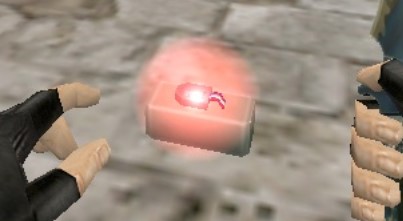
Install the c4 timer plugin with female voice
AMX Mod X must be installed and the cstrike module enabled in amxmodx/configs/modules.ini.
- Extract
C4_timer.zip - Upload
C4timer.amxxtocstrike/addons/amxmodx/plugins/ - Extract
sound.zip. Upload thesoundfolder into the server’scstrikefolder, so the voice files end up incstrike/sound/misc/ - Add
C4timer.amxxon a new line inamxmodx/configs/plugins.ini - Restart the server and check with
amx_pluginsthat the plugin is running
Players download the voice files from the server automatically when they connect, as long as downloads are enabled on the server.
C4 timer cvars – amx_showc4timer and more
| Cvar | Values |
|---|---|
amx_showc4timer |
Who sees the bomb timer. 0 = off, 1 = terrorists only, 3 = all players (default) |
amx_showc4sprite |
Timer sprite. 0 = sprite 1, 1 = sprite 2 (default) |
amx_showc4flash |
Flashing sprite. 0 = off (default), 1 = on |
amx_showc4msg |
Extra HUD message about the timer. 0 = off (default), 1 = on |
amx_soundc4 |
Female voice countdown. 0 = off, 1 = on (default) |
Put the cvars in amxmodx/configs/amxx.cfg or server.cfg, for example to show the timer to everyone with the voice on:
amx_showc4timer 3
amx_soundc4 1
To test a value without editing files, use amx_cvar amx_showc4timer 1 in the console.
C4 timer not working – what to check
- No timer on screen: check that
C4timer.amxxis running (amx_plugins) andamx_showc4timeris not 0. Remember the timer appears only after the bomb is planted - Timer shows, but no female voice: the sound files are in the wrong place – they must be in
cstrike/sound/misc/on the server. Also check thatamx_soundc4is 1 - Players hear no voice: server downloads are turned off, so players never got the sound files
- Plugin fails to load: the
cstrikemodule is not enabled inmodules.ini - Two timers on screen: another bomb timer plugin is running. Keep only one
For more server tools see the cs 1.6 admin commands list and the restrict weapons plugin. Players without the game can get the CS 1.6 free download here.
For installation guides and game files, browse the Counter-Strike 1.6 site or also grab the Counter-Strike 1.6 installer.