
RifO Counter-Strike 1.6 Config Download – CS 1.6 CFG
Last updated: June 10, 2026

RifO Counter-Strike 1.6 config is a player config from Albania. The zip contains three files: config.cfg, userconfig.cfg, and RifO.dll.
Download RifO cs 1.6 config

About RifO cs 1.6 config
Most cs 1.6 configs disable everything – weather off, decals at zero, models low – to squeeze out every frame. The RifO Counter-Strike 1.6 config takes the opposite approach. Weather effects, high player models, full decals, blood, gibs, and smoke are all enabled. Brightness and gamma are pushed high for maximum visibility. The result is a visually full experience while keeping competitive network settings – standard rates, low ex_interp, static white crosshair, and FPS locked at 101.
If you prefer seeing the game as it was meant to look rather than stripping it bare for performance, this RifO cs 1.6 cfg is a good starting point.
What is inside the RifO config zip
config.cfg– main config with binds, crosshair, rates and FPS settingsuserconfig.cfg– graphics, visual effects and performance settingsRifO.dll– place this in yourcstrike/folder alongside the config files. It is a custom DLL file specific to this config.
How to install RifO config in Counter-Strike 1.6
- Go to your Counter-Strike 1.6 folder. Default Steam path:
C:\Steam\steamapps\common\Half-Life\cstrike\. You can find your directory by right-clicking the CS 1.6 shortcut – Properties – Open File Location. Place the config files in thecstrike\folder. - Launch Counter-Strike 1.6 – you can download it here if needed.
- Open the console with
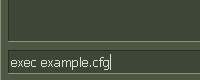
~and type:exec config.cfgand press Enter.
From csdownload.net you can download not only Counter-Strike 1.6 configs and cs 1.6 cfg files, but also the counter-strike 1.6 non-steam version for free.
You can browse through the Counter-Strike 1.6 homepage or get the latest installer here. Before you start your next match.