
download hl tag converter – easy spray and texture converter
Last updated: January 24, 2026
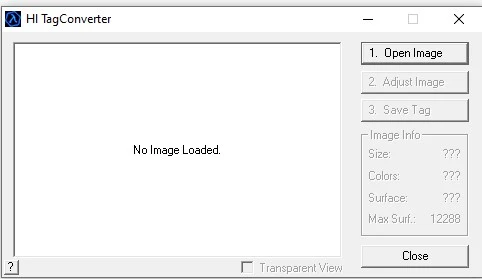
You can download hl tag converter directly from this page to start creating and importing custom logos, sprays, banners, or UI elements into Counter-Strike 1.6, Half-Life, and other GoldSrc engine games.
📥 Click here to download HL Tag Converter (.zip)
what is hl tag converter?
hl tag converter is a specialized Windows tool that allows you to convert standard image files (like .bmp, .jpg, or .png) into WAD format files used by GoldSrc engine games such as:
-
counter-strike 1.6
-
half-life
-
team fortress classic
-
day of defeat
-
earth’s special forces
-
sven co-op
-
custom half-life mods and maps
The converted graphics can then be used for spray logos, clan tags, server branding, or mod-specific textures.
features of hl tag converter
🔧 simple interface
Easy-to-use GUI with no advanced skills needed. Just load your image, tweak it, and export.
🖼️ image adjustments
-
Resize to spray-friendly dimensions
-
Convert to 256-color palette
-
Preview transparency and in-game look
📦 export options
-
Export as
.wadfile -
Save to MOD folder
-
Export as image file
📊 image info panel
See real-time details: size, color depth, surfaces, transparency, etc.
🚀 no installation needed
Extract and run the .exe. Works on all modern Windows systems.
who needs hl tag converter?
hl tag converter is useful not only for casual players, but also for modders, server admins, and competitive clans.
🎮 cs 1.6 players
-
Create personal spray logos
-
Show off unique tags in-game
-
Add visual identity to your nickname
🛡️ server owners
-
Add branded server logos or clan sprays
-
Show admin tags, VIP labels, or promo messages
-
Give your server a professional, polished look
🧪 mod developers & mappers
-
Add custom interface elements
-
Use thematic textures in maps
-
Include logos and graphics in mods
👥 clan leaders
-
Design matching sprays for all clan members
-
Make your clan instantly recognizable in-game
Whether you’re modding, running a server, or just playing — this tool helps you stand out.
how to use hl tag converter
Not sure how to convert and install sprays? Follow this detailed tutorial:
📘 how to use hl tag converter – custom spray tutorial
This guide includes:
-
How to prepare and size the image
-
How to convert it with the correct settings
-
Where to place it in your CS 1.6 folders
-
How to test your spray in-game
Perfect for beginners and advanced users alike.
system requirements
-
✅ Windows 7 / 10 / 11
-
✅ 512MB RAM
-
✅ <1MB storage
-
✅ No install or admin rights needed
don’t have cs 1.6 installed?
To use your custom spray or WAD graphics, you need the game itself.
🎮 download counter-strike 1.6 — clean, fast, and ready to use. Works perfectly with HL Tag Converter.
final thoughts
hl tag converter download is an essential tool for anyone who wants to bring personalization and style into Counter-Strike 1.6 or other GoldSrc-based games. Whether you’re designing a clan logo, adding flavor to your server, or just showing off your creativity — this tool gets the job done.
🎯 Download HL Tag Converter now and make your mark in the game.
To download the original game files or take a look at our Counter-Strike 1.6 portal, feel free to use our links. Looking for the best experience?