
CS 1.6 640×480 Resolution – Why Players Use Low Resolution
Last updated: September 14, 2026
Back in the early 2000s, most people playing counter-strike 1.6 were sitting in front of big bulky CRT monitors – those heavy square screens that weighed as much as a small child. The PC underneath was running a Pentium III or early Pentium 4, maybe 256MB of RAM, and a GPU that would be laughed at today. Getting 60 FPS was an achievement. Getting 100 was a luxury. So you did what you had to do – dropped everything as low as possible. Resolution went to 640×480 cs 1.6. Colors to 16-bit. Smoke off. Shadows off. And suddenly the game ran smooth. That was the deal.
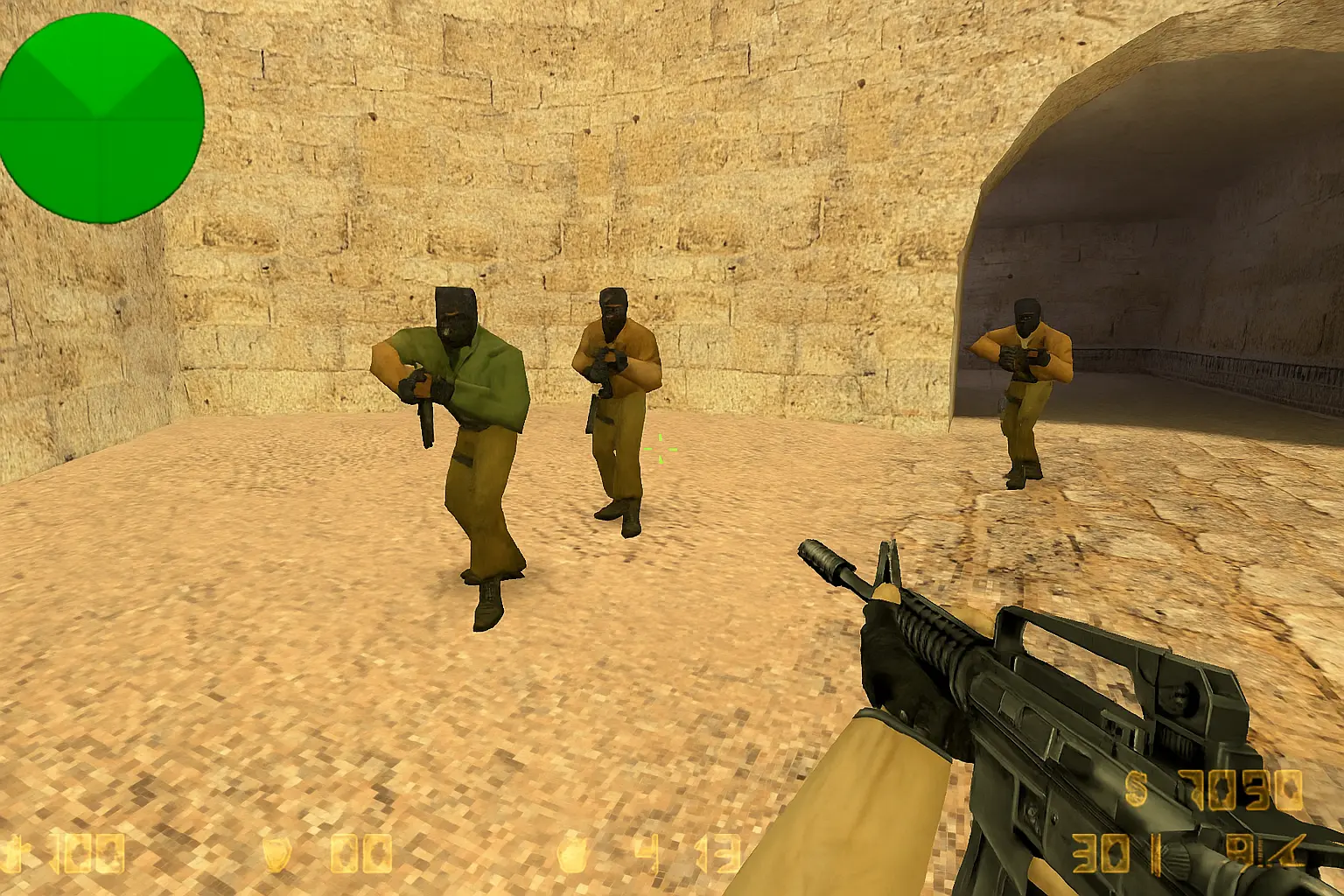
Years passed. PCs got better. LCD monitors replaced the old CRTs. But some players never changed their resolution. They kept counter-strike 1.6 low resolution even when they could run the game at 1920×1080 without breaking a sweat. Why? And does the cs 1.6 640×480 advantage actually exist – or is it just nostalgia? If you were not there in those LAN cafes playing on those old machines, this might seem strange. This article explains why.
CS 1.6 640×480 – jump to:
LAN cafes, CRT monitors and why 640×480 became the cs 1.6 standard
Walk into a LAN cafe in 2003. Every PC had the same basic specs – budget Pentium, shared graphics, 17 inch CRT monitor running at 85Hz. Counter-Strike 1.6 was the game everyone played. And everyone played it at 640×480.
It was not a conscious choice about competitive advantage – it was just what worked. Higher resolutions dropped FPS below playable. On a CRT monitor, 640×480 at 100Hz felt sharp and fast in a way that higher resolution at 60Hz did not. The pixelated look was completely normal because every screen in the room looked the same. Nobody questioned it.
Pro players who competed in those years trained on this setup. Tournament PCs were the same budget hardware. Everyone was at 640×480. It became the standard not because anyone decided it was optimal – it was simply what every serious player used because that was what was available.
The cs 1.6 low resolution fps boost
At 640×480 counter-strike 1.6 renders significantly fewer pixels per frame. On hardware from 2000-2008 this made an enormous difference – the gap between unplayable slideshow and smooth 100 FPS gameplay. Players who built their game on that hardware had 640×480 burned into their config files and never looked back.
On modern hardware the fps argument is gone. Any PC made in the last decade will hit fps_max 100 at 1024×768 just as easily as 640×480. The resolution no longer buys you frames. But for players on genuinely old or low-end machines – budget laptops, office PCs, older desktops – the cs 1.6 resolution fps boost is still real and still matters.
Does 640×480 help aim in cs 1.6 – headshots and model size
At lower resolution enemy models appear larger on screen relative to your crosshair. A player running across a doorway at medium distance takes up more pixels at 640×480 counter-strike 1.6 than at 1024×768. This makes the target easier to track – and easier to headshot because the head hitbox appears larger on screen.
There is also less visual clutter. Fewer texture details, simpler backgrounds. In CS 1.6 where spotting an enemy head peeking a corner is often the deciding factor, a cleaner visual field is a genuine advantage – not placebo.
But this only works if you trained this way. Someone who learned to aim at 1024×768 and switches to 640×480 will play worse initially because their sensitivity and crosshair placement calibration is off. The resolution advantage only exists for players whose muscle memory was built at that resolution.
Why players who grew up on 640×480 never switched
Imagine spending three years in a LAN cafe playing CS 1.6 every weekend at 640×480 on a CRT. Your entire aiming technique, your spray patterns, your crosshair placement habits – all built at that resolution. Then one day someone tells you to switch to 1024×768 because it looks better.
It would feel completely wrong. Not because 1024×768 is worse – but because your hands and eyes are not calibrated for it. The screen looks different. Enemies look smaller. Everything you trained feels slightly off.
Most veteran CS 1.6 players who stayed at 640×480 are not doing it out of ignorance or stubbornness. They are doing it because changing a setting that has been the same for ten years is a genuine risk to their performance. In a game where muscle memory is everything, consistency beats optimization.
Best cs 1.6 resolution – 640×480 vs 800×600 vs 1024×768
| Resolution | Model size | Visual clarity | Best for |
|---|---|---|---|
| 640×480 | Largest | Lowest | Veterans, weak hardware, CRT users |
| 800×600 | Large | Medium | Good balance – popular on LAN tournaments |
| 1024×768 | Medium | Good | New players, modern hardware |
| 1280×960+ | Small | Best | Players who prioritize visual clarity over model size |
There is no single best cs 1.6 resolution. Play what you trained on. If you are coming to CS 1.6 for the first time without any established habits, 800×600 or 1024×768 is a reasonable starting point – better visibility than 640×480 without the tiny models of high resolutions.
Want to try 640×480 yourself?
Go to Options → Video → Resolution → 640×480 and restart the game. Takes five seconds.
But fair warning – on a modern LCD or IPS monitor it will not look the same as it did on a CRT. Those old square monitors rendered 640×480 natively and it looked sharp at that resolution. A modern 24 inch widescreen stretching 640×480 to fill the screen looks blurry and distorted. The pixels are enormous. It is not the same experience.
If you genuinely want to understand why veterans swear by this resolution, you need a CRT monitor – the kind people threw away when flat screens became cheap. On a CRT at 640×480 and 100Hz the game looks and feels completely different. Fast, sharp, responsive. On a modern LCD it just looks like a bad screenshot.
So try it if you are curious. But if it looks wrong on your screen – it probably does. The resolution was designed for a different era of hardware. If you need a fresh CS 1.6 install to test it, download Counter-Strike 1.6 free.
Looking for the best experience, take a look at our Counter-Strike 1.6 portal and also get the download Counter-Strike 1.6 full version.