
CS 1.6 Vampire AMXX Plugin – Extra HP for Every Kill
Last updated: October 3, 2026
Counter-Strike 1.6 amxx plugin Vampire v1.0c is an AMX Mod X vampire plugin for cs 1.6: every kill gives the killer extra health. A headshot kill can give more HP than a body kill, and a short light blue or green screen fade shows that the health was added. You set how much HP each kill gives and the highest HP a player can reach.
This CS 1.6 hp per kill amxx plugin suits deathmatch and fun counter-strike 1.6 servers, where players fight one duel after another and a kill should help them survive the next one.
CS 1.6 Vampire amxx plugin download
Download Vampire Plugin (.ZIP)
The ZIP contains vampire.amxx and the vampire.sma source.
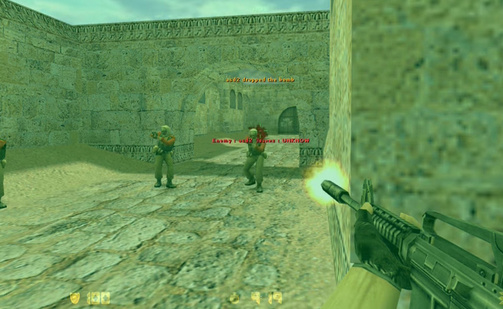
Vampire plugin cvars – HP per kill and max HP
| Cvar | What it sets |
|---|---|
amx_vampire_hp |
HP the killer gets for a normal kill |
amx_vampire_hp_hs |
HP the killer gets for a headshot kill |
amx_vampire_max_hp |
Highest HP a player can reach |
Add the cvars to server.cfg or amxmodx/configs/amxx.cfg. Example setup:
amx_vampire_hp 15
amx_vampire_hp_hs 30
amx_vampire_max_hp 100
These are example values, not the plugin defaults. Set amx_vampire_hp_hs higher than amx_vampire_hp to reward headshots. Keep amx_vampire_max_hp at 100 so players never go above normal health, or raise it if you want a kill streak to make players stronger.
Install the vampire plugin on a cs 1.6 server
- Extract the ZIP
- Upload
vampire.amxxtocstrike/addons/amxmodx/plugins/ - Add
vampire.amxxon a new line inconfigs/plugins.ini - Set the cvars as shown above
- Restart the server or change the map, then check with
amx_pluginsthat it is running
Vampire plugin not working – what to check
- No HP after a kill: check that the plugin is running and
amx_vampire_hpis above 0 - HP stops growing: the player reached
amx_vampire_max_hp - Values reset after map change: the cvars were set only in the console. Save them in
server.cfgoramxx.cfg - HP added twice: another plugin that heals on kill is running. Keep only one
For other rewards on kill, see the money reward system and advanced kill assists. More tools: cs 1.6 admin commands list. Players without the game can get the CS 1.6 download here.
For additional files and configs, browse the Counter-Strike 1.6 site and grab the Counter-Strike 1.6 installer.