
How to Play CS 1.6 – Everything Beginners Need to Know
Last updated: May 9, 2026
Counter-Strike 1.6 is a round-based tactical first-person shooter where two teams – Terrorists and Counter-Terrorists – compete to complete map-specific objectives before the round timer expires. This guide covers everything needed to start playing CS 1.6: controls, movement, shooting mechanics, the buy menu, economy, grenade usage, map objectives, finding servers, and console commands. If you do not have CS 1.6 installed yet, download Counter-Strike 1.6 first.
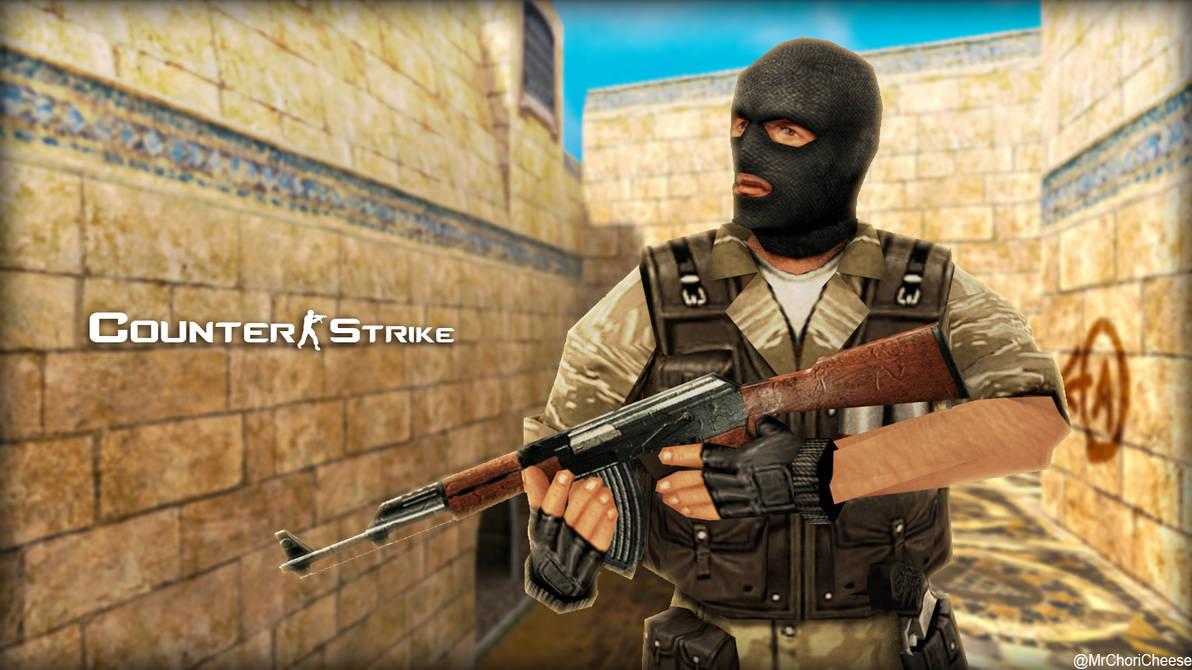
CS 1.6 Teams – Terrorists vs Counter-Terrorists
Each round, every player is assigned to one of two teams. Teams swap sides at halftime in most game modes.
| Team | Role | Default Starting Weapons | Key Equipment |
|---|---|---|---|
| Terrorists (T) | Attacking – plant bombs, guard hostages, eliminate VIP | Glock-18 or MP5 (server dependent) | C4 explosive (one random player per round) |
| Counter-Terrorists (CT) | Defending – defuse bombs, rescue hostages, protect VIP | USP or MP5 (server dependent) | Defuse Kit ($200, reduces defuse time from 10s to 5s) |
At round start, one Terrorist is randomly assigned the C4 bomb – shown as a blinking red dot on the radar. Other Ts can pick up the bomb if the carrier drops it or dies.
Counter-Strike 1.6 Controls – All Default Keys
| Key | Action | Notes |
|---|---|---|
| W, A, S, D | Move forward, left, backward, right | Standard WASD movement |
| SPACE | Jump | Also used for bunny hopping |
| CTRL | Crouch | Increases accuracy, reduces movement noise, makes you a smaller target |
| SHIFT | Walk silently | Eliminates footstep sounds – essential for flanking |
| Mouse1 | Primary fire | |
| Mouse2 | Secondary fire / scope | Zooms scope on AWP and Scout, burst fire mode on Glock |
| R | Reload | Always reload behind cover |
| E | Use / Interact | Defuse bomb, rescue hostage, open doors, use ladder |
| G | Drop weapon | Share guns with teammates or drop for pickup |
| Q | Last weapon used | Quick switch between current and previous weapon |
| 1 | Primary weapon | Rifles, SMGs, shotguns |
| 2 | Secondary weapon | Pistol |
| 3 | Knife | Fastest movement speed |
| 4 | Grenade slot | Cycles through grenades |
| 5 | C4 (T only) | Plant bomb when standing in bomb site |
| B | Buy menu | Only available in buy zone at round start |
| T | Spray logo | Places your custom decal on surfaces |
| Y | All chat | Everyone on the server sees the message |
| U | Team chat | Only teammates see the message |
| Z, X, C | Radio commands | Pre-recorded voice lines for team communication |
| TAB | Scoreboard | Shows kills, deaths, ping and money for all players |
| ~ | Developer console | Must be enabled in Options first |
| F5 | Screenshot | Saves to CS 1.6 screenshots folder |
| F6 | Quick save | Saves current game state (singleplayer) |
All keys can be rebound in Options > Keyboard or via the bind console command. Many players rebind jump to mouse wheel scroll for easier bunny hopping.
CS 1.6 Movement – Speed, Accuracy and Sound
Movement in Counter-Strike 1.6 directly affects accuracy. Understanding movement states is fundamental to consistent shooting.
| Movement State | Accuracy | Sound | Speed |
|---|---|---|---|
| Standing still | Maximum | None | 0 u/s |
| Crouching still | Maximum + slightly tighter crosshair | None | 0 u/s |
| Walking (SHIFT) | Good | None (silent) | ~135 u/s |
| Running | Poor | Audible footsteps | 250 u/s |
| Crouching while moving | Moderate | Quiet | ~83 u/s |
| Jumping | Very poor | Landing sound on impact | Variable |
Stop-and-shoot: Release all movement keys before firing. The crosshair snaps back to its resting position within a few frames. This is the core accuracy mechanic in CS 1.6 – most engagements at medium to long range are won by the player who stops moving first.
Counter-strafing: To stop instantly instead of sliding, press the opposite direction key briefly while stopping. If moving left (A key), tap D as you stop. This kills your momentum in one frame and resets accuracy immediately instead of waiting for gradual deceleration.
Knife speed: Switching to knife (slot 3) moves you at maximum speed – 250 u/s. Switch to your primary weapon before turning corners so you are not caught with knife out.
Crouch-peeking: Briefly crouching while peeking a corner increases your accuracy and can throw off an opponent’s aim – they were aimed at standing head height and your head is now lower. Use it for duels but do not stay crouched in the open as it makes you easier to hit in the legs.
Bunny hopping: Chaining jumps while simultaneously strafing left and right maintains and builds speed beyond normal run speed. It requires precise timing – jump at the moment of landing, not before. Server-side limits apply (sv_maxspeed).
CS 1.6 Shooting Mechanics and Recoil Patterns
CS 1.6 weapons have fixed, deterministic recoil patterns. Every weapon sprays in an identical pattern every round – the pattern does not change randomly. Learning the pattern and pulling your mouse in the opposite direction while spraying is called recoil compensation.
Firing modes
| Mode | When to Use | How |
|---|---|---|
| Single tap | Long range, rifles, pistols | Click once per shot, wait for crosshair to fully reset between shots |
| Burst (2-3 rounds) | Medium range | Short trigger press, brief pause, repeat |
| Full spray | Close range only | Hold fire and drag mouse down and opposite to recoil direction |
Key recoil patterns
| Weapon | Spray pattern direction | Compensation |
|---|---|---|
| AK-47 | Rises vertically for first 5 shots, then drifts right | Pull mouse down, then down-left for extended sprays |
| M4A1 | Rises vertically for first 5 shots, then drifts left | Pull mouse down, then down-right for extended sprays |
| AWP | Single shot, significant screen kick | Wait for full reset before next shot unless at very close range |
| Desert Eagle | Heavy upward kick per shot | Pull mouse down between each shot, tap-fire only |
| MP5 | Mild upward drift, very controllable | Slight downward pull – easiest spray in the game |
| Galil / FAMAS | Similar to AK/M4 but less severe | Same downward compensation, shorter effective spray range |
Wall penetration
Bullets in CS 1.6 penetrate thin surfaces – wooden doors, crates, and thin walls. Shooting through surfaces is called wall-banging. Penetration damage is reduced based on surface thickness and material. Common wall-bang positions exist on every standard map and are part of advanced gameplay knowledge. The sv_penetration_type server variable controls penetration behavior.
CS 1.6 Buy Menu – All Weapons and Equipment Prices
The buy menu is accessible only during the buy phase at round start (default 15 seconds) while standing in the team’s buy zone. Press B to open it, or use console buy commands directly for faster purchasing.
Key weapons by team
| Weapon | Team | Price | Role |
|---|---|---|---|
| AK-47 | T only | $2500 | Primary rifle – one-shot headshot through helmet, most powerful T rifle |
| M4A1 | CT only | $3100 | Primary rifle – silenced, accurate, two-shot headshot |
| AWP | Both | $4750 | Sniper – one-shot kill to body and head, slow movement speed |
| Desert Eagle | Both | $650 | Pistol – one-shot headshot without helmet, strongest eco pistol |
| MP5 Navy | Both | $1500 | SMG – cheap, accurate at close range, good for eco rounds |
| Scout | Both | $2750 | Bolt-action sniper – cheaper than AWP, one-shot to body at range, faster movement |
| Galil | T only | $2000 | Budget rifle – cheaper AK alternative, less damage but saves money |
| FAMAS | CT only | $2250 | Budget rifle – cheaper M4 alternative, burst-fire mode available |
| SG-552 | T only | $3500 | Scoped rifle – accurate, higher price than AK |
| AUG | CT only | $3500 | Scoped rifle – accurate, higher price than M4 |
| MAC-10 | T only | $1400 | Fast-firing SMG, very cheap, low accuracy at range |
| UMP-45 | Both | $1700 | SMG – decent damage, good eco option |
| M3 Shotgun | Both | $1700 | Pump shotgun – devastating at close range, useless at distance |
| XM1014 | Both | $3000 | Auto shotgun – fast fire rate, very close range only |
| G3SG1 | T only | $5000 | Auto-sniper – semi-auto, punishes slow movement |
| SG-550 | CT only | $4200 | Auto-sniper – scoped, semi-auto |
| M249 Para | Both | $5750 | Light machine gun – 100-round magazine, heavy spray weapon |
Essential equipment
| Item | Price | Team | Effect |
|---|---|---|---|
| Kevlar (vest only) | $650 | Both | Absorbs body shot damage, does not protect head |
| Kevlar + Helmet | $1000 | Both | Absorbs body and head damage – prevents one-shot headshots from most weapons except AK-47 |
| Defuse Kit | $200 | CT only | Reduces bomb defuse time from 10s to 5s – buy every full round as CT |
| Night Vision Goggles | $1250 | Both | Illuminates dark maps – rarely purchased competitively |
| HE Grenade | $300 | Both | Deals up to 98 damage on direct contact |
| Flashbang | $200 | Both | Blinds players looking toward it – can carry two |
| Smoke Grenade | $300 | Both | Creates 18-second smoke cloud blocking line of sight |
Fast buy binds
Instead of navigating the buy menu, bind weapons directly to keys for instant purchases at round start:
bind "F1" "buy ak47"
bind "F2" "buy m4a1"
bind "F3" "buy awp"
bind "F4" "buy deagle"
bind "KP_1" "buy vesthelm"
bind "KP_2" "buy vest"
bind "KP_3" "buy defuser"
bind "KP_4" "buy hegrenade"
bind "KP_5" "buy flashbang"
bind "KP_6" "buy smokegrenade"
Counter-Strike 1.6 Economy – Money, Kills and Round Types
Money management is one of the most important skills in Counter-Strike 1.6. Spending wrong breaks team economy for multiple rounds and forces teammates to play with inferior equipment.
Money earning
| Action | Money Earned |
|---|---|
| Kill with rifle, SMG, or pistol | $300 |
| Kill with knife | $1500 |
| Kill with HE grenade | $300 |
| Kill with AWP | $100 (reduced to discourage AWP camping) |
| Bomb plant (T) | $800 |
| Bomb defuse (CT) | $3500 |
| Hostage rescued (CT) | $1000 per hostage |
| Hostage killed (penalty) | -$1500 |
| Win round | $3250 |
| Lose round – 1st consecutive loss | $1400 |
| Lose round – 2nd consecutive loss | $1900 |
| Lose round – 3rd consecutive loss | $2400 |
| Lose round – 4th consecutive loss | $2900 |
| Lose round – 5th+ consecutive loss | $3400 (maximum) |
Round types
| Round Type | When | What to Buy |
|---|---|---|
| Full buy | $3500+ (CT) / $3000+ (T) | Primary rifle, Kevlar+Helmet, grenades, Defuse Kit (CT) |
| Force buy | Team needs a win, money is low | SMG or pistol + Kevlar if affordable – accept that you may lose money |
| Eco round (save) | Team is low money after consecutive losses | Pistol only or knife – deliberately save money for next full buy |
| Half buy | Medium money ($2000-$3000) | Budget rifle (Galil/FAMAS), Kevlar without helmet |
| Pistol round | Round 1 of each half | Everyone starts with $800 – Deagle or armor are the common choices |
The loss bonus system means losing consecutive rounds gives increasing money per loss. A team that loses 5 rounds in a row earns $3400 on each loss – enough to buy rifles. This creates the eco round strategy: deliberately not buying to bank money for a strong next round rather than wasting it on insufficient equipment.
CS 1.6 Grenades – HE, Flashbang and Smoke Grenade
Grenades in CS 1.6 are bought from the buy menu and equipped via slot 4. You can carry one HE grenade, two flashbangs, and one smoke grenade simultaneously. Grenades bounce off surfaces – their trajectories are consistent and learnable for specific spots on every standard map.
HE Grenade ($300)
Deals up to 98 damage in the center of the blast radius, reduced by distance and cover. Common uses: throwing into a choke point before pushing, damaging players behind thin cover, finishing low-health enemies. Grenades damage teammates in non-friendly fire servers too if the server has friendly fire off – they still knockback teammates.
Flashbang ($200 – carry up to 2)
Blinds any player looking toward it when it detonates. The blind duration depends on proximity and angle – a direct flash at close range blinds for 2-3 seconds. You cannot be blinded by your own flashbang if it detonates behind you. Key techniques:
- Pop-flash: Throw a flash that detonates immediately as it passes a corner – the enemy has no time to look away
- Bounce-flash: Bounce a flashbang off a wall or ceiling so it appears from an unexpected angle
- Self-flash protection: Turn away or look at the ground as your own flash detonates when teammates are pushing behind you
Smoke Grenade ($300)
Creates an 18-second smoke cloud that completely blocks line of sight. Used to block CT angles during a push, cover a bomb plant, block a retake path after planting, or create a safe corridor for movement. Smoke grenades do not block bullets – enemies can fire blindly through smoke and still hit you. Do not stand in smoke expecting it to protect you from bullets.
CS 1.6 Sound Cues – What Every Sound Tells You
Sound in CS 1.6 provides directional information about enemy positions that is as important as visual information. With headphones, footsteps, reloads, and weapon switches are audible through walls and around corners.
| Sound | Information it gives you |
|---|---|
| Footsteps (running) | Enemy position and movement direction – audible through walls and floors |
| No footsteps | Enemy is walking (SHIFT) or crouching – they are nearby and aware of you |
| Reload sound | Enemy is reloading and vulnerable for 2-4 seconds – push immediately |
| Weapon switch sound | Enemy is switching weapons – brief vulnerability |
| Scope zoom (double click) | AWP or Scout nearby – indicates sniper position before they shoot |
| Bomb beeping | C4 is planted – beeping accelerates as detonation approaches |
| Hostage pickup sound | A CT has picked up a hostage – indicates CT position on cs_ maps |
| Surface footstep type | Metal, wood, concrete, water – each has a distinct sound identifying the area |
| C4 planting sound | T is actively planting – push the site to interrupt |
| Defuse sound | CT is defusing – Ts must reach the bomb to stop it |
Set your volume high enough to hear footsteps clearly. Most players use volume 0.7 to volume 1.0 with headphones. The in-game sound engine provides directional left/right audio corresponding to the actual direction of the sound source. Headphones are significantly better than speakers for CS 1.6 sound positioning.
CS 1.6 Radar and Map Awareness Explained
The radar in the top-left corner shows your team’s positions and limited enemy information. Reading the radar constantly is one of the habits that separates experienced players from beginners.
- Teammates appear as dots on the radar – their position updates in real time
- When a teammate dies, their dot disappears – this tells you an enemy was in that location at that moment
- The C4 bomb carrier blinks as a distinct marker on the T-side radar
- When teammates use radio commands (Z, X, C menus), their dot flashes to indicate location
- Spotted enemies appear briefly on the radar when a teammate has line of sight on them
- The bomb appears on the radar when planted – all players see its location
Map awareness means tracking where your teammates are, where they have died, and where the bomb or hostages are at all times. When you die, call out enemy positions in team chat or with radio commands before your kill cam ends. A dead player with information is still useful to their team.
How CS 1.6 Bomb Maps Work – Plant, Defuse, Objectives
Bomb defusal maps (prefix de_) are the most common in CS 1.6. Standard maps include de_dust2, de_inferno, de_nuke, de_train, de_aztec, de_cbble, de_dust, de_piranesi.
Terrorist objectives (de_ maps)
- One T carries the C4 at round start. The bomb can be picked up and passed to any teammate.
- Reach Bomb Site A or Bomb Site B while at least one T is alive.
- Stand in the bomb site and press and hold the bomb slot key (or E) to plant the C4. Planting takes approximately 3 seconds and can be interrupted by taking damage.
- After planting, defend the site for 35 seconds until the bomb explodes. Terrorists earn $800 for planting regardless of round outcome.
- Alternative win condition: eliminate all Counter-Terrorists before planting.
Counter-Terrorist objectives (de_ maps)
- Prevent Terrorists from planting the bomb by holding site entrances or eliminating all Ts.
- If the bomb is planted, reach it and hold E to defuse. Defusing takes 10 seconds without a kit, 5 seconds with a Defuse Kit.
- Multiple CTs can contribute to the same defuse – one can start it, another can finish it if the first is killed.
- Alternative win condition: eliminate all Terrorists before the bomb is planted.
- If all CTs are killed after the bomb is planted, the bomb will detonate regardless.
Bomb timer: 35 seconds after plant. The beeping sound accelerates in the final 10 seconds. A CT with a Defuse Kit can defuse in 5 seconds meaning they can wait until 5 seconds remain before defusing if the timing is right.
How CS 1.6 Hostage Maps Work – Rescue Objectives
Hostage rescue maps (prefix cs_) have 4 hostages that CTs must rescue. Standard maps include cs_italy, cs_office, cs_militia, cs_assault, cs_havana.
Counter-Terrorist objectives (cs_ maps)
- Find the hostages – they are located in specific rooms on the map, guarded by Terrorists.
- Walk up to a hostage and press E to make them follow you. Each CT can lead one hostage at a time.
- Lead the hostage to the Hostage Rescue Zone marked on the map and radar. The hostage follows automatically once acquired.
- Rescuing the majority of hostages (at least 2 of 4) wins the round for CT. Each rescued hostage earns $1000.
- Hostages can be blocked by players standing in their path – keep the route clear.
Terrorist objectives (cs_ maps)
- Guard the hostages and prevent CTs from reaching and escorting them to the rescue zone.
- Eliminating all CTs wins the round.
- If the round timer expires with insufficient hostages rescued, Terrorists win.
- Shooting hostages deals a $1500 money penalty per shot and is a tactical mistake in almost all cases.
How CS 1.6 VIP Maps Work – Escort Objectives
VIP maps (prefix as_) are less common but part of the standard CS 1.6 game mode list. One CT player is randomly designated as the VIP at round start.
Counter-Terrorist objectives (as_ maps)
- Escort the VIP player to a designated rescue zone on the map.
- The VIP carries only a pistol and cannot purchase other weapons – protecting the VIP is the entire CT team’s priority every round.
- The VIP must reach the rescue zone alive for CTs to win.
Terrorist objectives (as_ maps)
- Eliminate the VIP before they reach the rescue zone.
- Eliminating all CTs also wins the round.
- The VIP’s position is known to Ts from the start – coordinate to cut off their route to the escape zone.
How to Find and Join Counter-Strike 1.6 Servers
CS 1.6 uses a server browser to find online games. To open it, go to the main menu and click Find Servers, or type openserverbrowser in the console.
Using the in-game server browser
In the Find Servers window, click the Internet tab and then Refresh All to load the server list. Sort by Players to find active servers, or filter by map, ping, or game mode. Common problems with the Steam server browser:
- Many entries show impossible player counts like 255/255 or 256/32 – these are fake redirect servers. The GoldSrc engine cannot run more than 32 players. Avoid any server showing more than 32 players.
- If the list is empty, the MasterServer may be down – see the MasterServer fix guide.
External server browsers
Third-party sites filter fake servers before displaying them and are more reliable than the Steam browser for finding real active servers:
| Site | What it offers |
|---|---|
| gametracker.ovh | Community-maintained, filters fake CS 1.6 servers. Filter by country and map. |
| gametracker.com | Long-established server tracker with country and game mode filters. |
| battlemetrics.com | Marks suspected bot servers, shows real player history graphs. |
Connecting directly to a server
Once you have a server IP from an external site or from a friend, connect directly via console to bypass the browser entirely:
connect [server IP]:[port]
// Example:
connect 192.168.1.100:27015
Direct connect is faster and bypasses the broken MasterServer entirely. Save reliable server IPs in your Favorites tab in the server browser for quick access next session.
How to Practice CS 1.6 with Bots Offline
Bots in CS 1.6 let you practice movement, positions, and weapon recoil without the pressure of a live match. To start a bot game:
- Open the console with ~ and type:
map de_dust2– this loads the map in a local server - Add bots:
bot_add(adds one bot) orbot_add_t/bot_add_ctto specify team - Set bot difficulty:
bot_difficulty 0(easy) tobot_difficulty 3(expert) - Fill the server with bots:
bot_quota 10(sets total bot count)
Useful bot commands:
| Command | Effect |
|---|---|
bot_add |
Adds one bot to the game |
bot_add_t |
Adds one bot to the Terrorist team |
bot_add_ct |
Adds one bot to the CT team |
bot_kick |
Removes all bots from the game |
bot_quota [number] |
Sets total number of bots in the game |
bot_difficulty [0-3] |
Sets bot difficulty – 0 easy, 1 normal, 2 hard, 3 expert |
bot_stop 1 |
Freezes all bots in place – useful for recoil practice |
bot_knives_only 1 |
Bots only use knives – lets you practice movement against non-shooting opponents |
bot_pistols_only 1 |
Bots only use pistols |
sv_cheats 1 |
Enables cheat commands in local server – required for some practice commands |
impulse 101 |
Gives all weapons and full ammo (requires sv_cheats 1) |
god |
Invincibility (requires sv_cheats 1) – lets you practice without dying |
CS 1.6 Aim Training – FY Maps, Aim Maps and Deathmatch
Consistent aim in CS 1.6 requires daily practice. Cold aim at the start of a session is significantly worse than warmed-up aim. Most experienced players warm up for 10-15 minutes before playing on competitive servers.
FY maps for warmup
FY maps (Fight Yard maps) are small arena maps with the fy_ prefix designed for pure combat – no objectives, just fragging. Both teams spawn close together and rounds last 10-30 seconds. The most popular FY warmup maps are:
- fy_iceworld – open platform, good for rifle and AWP warmup at medium range
- fy_pool_day – multi-level pool area, varied engagement distances
- fy_buzzkill – mixed corridors and open areas, close to medium range
Find FY servers in the server browser by filtering map name to fy_, or join any active FY server from gametracker.ovh. See the full CS 1.6 FY maps list for all available FY maps.
Aim maps
Aim maps (prefix aim_) place both teams face-to-face with rifles or pistols in a flat, equal environment. They isolate the aiming component of gameplay completely – no strategy, no economy, pure shooting mechanics. Common aim maps: aim_ak_colt, aim_map, aim_headshot, aim_deagle. Download them from the same sources as FY maps.
Deathmatch servers
DM servers running the Deathmatch AMXX plugin provide respawn and constant engagement without round structure. They are the fastest way to get a high volume of aim practice in a realistic server environment. Look for servers with “DM” or “Deathmatch” in their name in the server browser.
CS 1.6 Console Commands Every Beginner Should Know
Enable the console in Options > Keyboard > Advanced > check “Enable developer console”. Then press ~ to open it.
| Command | Example | Effect |
|---|---|---|
sensitivity |
sensitivity 2.0 |
Sets mouse sensitivity – start around 2.0 and adjust |
m_rawinput |
m_rawinput 1 |
1 = reads mouse directly, bypasses Windows acceleration |
volume |
volume 0.7 |
Sets game volume (0.0 to 1.0) |
fps_max |
fps_max 101 |
Caps frame rate – 101 is the stable optimal value for GoldSrc |
net_graph |
net_graph 1 |
Shows FPS, ping, choke and packet loss overlay |
cl_dynamiccrosshair |
cl_dynamiccrosshair 0 |
0 = static crosshair (recommended), 1 = dynamic expands on movement |
cl_crosshairsize |
cl_crosshairsize 1 |
Sets crosshair size – smaller is more precise |
cl_crosshaircolor |
cl_crosshaircolor 5 |
Crosshair color: 1=green, 2=yellow, 3=blue, 4=cyan, 5=custom RGB |
hud_fastswitch |
hud_fastswitch 1 |
1 = instant weapon switch without confirmation menu |
cl_righthand |
cl_righthand 0 |
0 = left-hand weapon model, 1 = right-hand |
rate |
rate 25000 |
Sets max bandwidth per second for server communication |
cl_cmdrate |
cl_cmdrate 101 |
Commands sent to server per second |
cl_updaterate |
cl_updaterate 101 |
Updates received from server per second |
ex_interp |
ex_interp 0.01 |
Interpolation time – 0.01 for fast connections |
bind |
bind "F1" "buy ak47" |
Binds a key to any command |
connect |
connect 192.168.1.1:27015 |
Connects directly to a server by IP and port |
retry |
retry |
Reconnects to the current server |
disconnect |
disconnect |
Leaves the current server |
map |
map de_dust2 |
Loads a map in local server |
status |
status |
Shows server IP, your ping, and all connected players |
record |
record demo1 |
Records a demo file of your gameplay |
playdemo |
playdemo demo1 |
Plays back a recorded demo |
CS 1.6 Beginner Tips – What Actually Helps
CS 1.6 has a steep learning curve. The first weeks are rough – you will get killed before you even see the enemy, your shots will miss, and you will have no idea what is happening half the time. This is normal. Every experienced player went through this. Here is what actually helps:
Stop moving before you shoot. This one habit alone will double your kill count faster than anything else. Release all movement keys and wait one moment before clicking. Running and shooting in CS 1.6 sends bullets in completely random directions. The game rewards patience, not spray-and-pray.
Get headphones. Seriously. CS 1.6 is a sound-based game as much as a visual one. You will hear enemies reload, walk, and switch weapons before you see them. Speakers cannot give you the directional audio that headphones do. Even cheap headphones make a significant difference.
Set your mouse sensitivity correctly. Most new players play with sensitivity too high. High sensitivity feels fast but makes precise aiming inconsistent. Lower your sensitivity until small movements produce small, controlled aim changes. Most experienced CS 1.6 players use 400-800 DPI on their mouse with in-game sensitivity between 1.5 and 3.0. Test by trying to track a moving target – if your aim overshoots constantly, lower the sensitivity.
Spectate better players. When you die early in a round, do not just wait for the next round – watch a teammate who is still alive. Press your mouse buttons to switch between players. Watch how they move, where they position themselves, when they stop before shooting, and how they peek corners. You will learn more in 5 minutes of watching a good player than in 20 minutes of playing blind.
Learn one map before playing others. Pick de_dust2 and play it until you know every corner, every angle, and every common position by name. Dust2 is the most played map in CS 1.6 for a reason – it is balanced, readable, and used on more servers than any other map. Knowing one map well beats knowing five maps poorly.
Buy armor every single round. Kevlar+Helmet costs $1000 and prevents most one-shot headshots. New players often skip it to buy a better gun. Do not. A player with a cheaper gun and armor beats a player with an expensive gun and no armor in most encounters.
If you are CT, always buy a Defuse Kit. It costs $200. Without it, defusing takes 10 seconds – enough time for Terrorists to rotate and kill you. With it, defusing takes 5 seconds. The $200 wins more rounds than any other $200 purchase in the game.
Warm up before playing seriously. Your aim is significantly worse cold. Before joining a competitive public server, spend 10-15 minutes on an FY or deathmatch server just shooting. Your aim will be noticeably sharper when it matters.
Talk to your team. You do not need a microphone. Use radio commands (Z, X, C keys) to communicate enemy positions without typing. When you die, type in team chat where the enemy is. A teammate with that information can win the round even after you are dead.
Watch where your teammates die on the radar. Every time a dot disappears from your radar, an enemy is standing at that location. Use that information. If your teammate died at B site, do not rush B blindly.
Do not buy an AWP as a beginner. The AWP costs $4750 and is useless at close range. If an enemy rushes you with a rifle while you are scoped in, you will die. Learn rifles first – AK-47 and M4A1 are forgiving at multiple ranges and teach you the core shooting mechanics. Add the AWP later when you understand positioning and when to hold angles.
Eco rounds are part of the game, not failures. When your team has no money, deliberately not buying is the correct play. Save your money, take the loss, and come back with rifles the next round. Teams that force-buy with pistols every round stay broke forever.
Practice recoil in an empty server. Open a local server with map de_dust2 in console, add frozen bots with bot_add and bot_stop 1, and spray full AK-47 and M4A1 magazines at a wall. Watch the pattern. Learn to pull your mouse down and slightly opposite to where the spray drifts. Do this for 10 minutes and you will immediately notice a difference in real games.
Do not get discouraged. CS 1.6 has been played competitively for over 20 years. Many players on public servers have thousands of hours. Getting killed often when starting is expected. Progress in CS 1.6 is slow but noticeable – after a few weeks of regular play you will see patterns, positions, and timing that were invisible to you before.
For more advanced settings and optimization see the CS 1.6 FPS and config optimization guide and the full CS 1.6 console commands list.
You can explore more Counter-Strike 1.6 resources or access the full game package. Looking for the best experience!